Flipkart Seller Login - Open Seller Hub Dashboard & Manage Store
Once you have registered as a seller on Flipkart, the next most important step is accessing your Flipkart Seller Dashboard. This is your command center for managing orders, inventory, and payments. In this guide, we will cover how to securely log in to your account and solve common login problems.
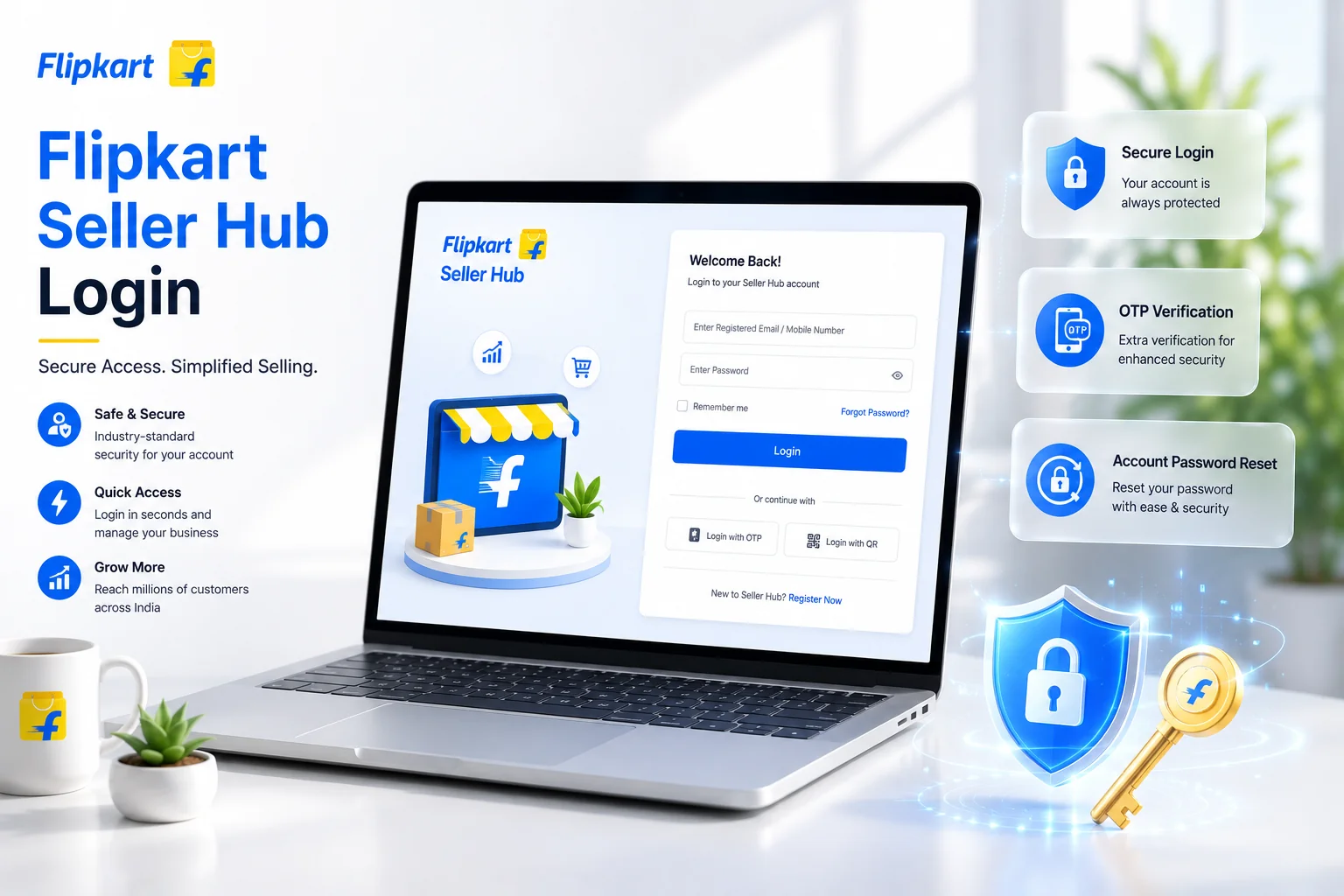
How to Login to Flipkart Seller Account
Follow these simple steps to access your seller panel:
- Visit the Official Portal: Go to seller.flipkart.com.
- Click on Login: You will find the 'Login' button at the top right corner of the page.
- Enter Credentials: Enter your registered Email ID or Mobile Number.
- Password: Type your password and click 'Login'.
Pro Tip: Always check the URL ensuring it starts with https://seller.flipkart.com to avoid phishing sites.
How to Reset Flipkart Seller Password?
Forgot your password? Don't worry, it happens. Here is how you can reset it in minutes:
- On the login page, click on the 'Forgot Password?' link.
- Enter your registered username (Email or Mobile).
- You will receive an OTP (One Time Password) on your registered mobile/email.
- Enter the OTP and set a new, strong password.
Common Login Issues & Solutions
1. Account Locked
If you enter the wrong password multiple times, Flipkart may temporarily lock your account for security. Wait for 30 minutes and try again, or reset your password.
2. OTP Not Received
Sometimes network issues delay OTP delivery. Restart your phone or toggle Airplane mode. If the issue persists, check if your registered number is active.
3. Browser Cache Issues
If the login page isn't loading correctly, try clearing your browser cache or opening the page in Incognito mode.
Managing Your Account Security
Your seller account holds sensitive financial data. Keep it safe:
- Never share your password or OTP with anyone, even if they claim to be from Flipkart support.
- Change your password every 3-6 months.
- Log out from public computers immediately after use.
Handling Multiple Flipkart Seller Accounts
Many advanced business owners operate multiple firms or brands on Flipkart. However, managing separate logins can be tricky because Flipkart's security system monitors IP addresses and MAC addresses to prevent fraudulent account linking. If you legitimately manage two separate GST-registered businesses:
- Use Different Browsers: Log into 'Account A' on Google Chrome, and 'Account B' on Mozilla Firefox. This keeps cookie sessions completely isolated.
- Incognito Mode: Alternatively, use Incognito / Private Browsing windows, though you will have to enter your OTP every single time you log in.
- Never link the same bank account or email address to two different seller portals.
The Flipkart Seller Hub Mobile App
You don't need a laptop to stay connected. The Flipkart Seller Hub App (available on Android and iOS) is the perfect companion for managing your store on the go. The app login process is identical to the desktop portal. Once logged in, the app allows you to instantly reply to buyer messages, check live sales data, and receive push notifications the moment a new order drops into your dashboard.
Understanding Session Timeouts
Have you ever been logged out automatically while working on a product listing? This is a deliberate security feature. Flipkart Seller Hub enforces strict session timeouts. If your browser tab is inactive for more than 15-20 minutes, the session token expires to protect your data from unauthorized access. Always click 'Save Draft' frequently while editing long product details to avoid losing your progress due to a timeout logoff.
Flipkart Label Crop Tool
Smart label formatter. Separate labels and invoices for your thermal printer in one click.
Conclusion
Logging into your Flipkart seller account is the gateway to your online business. By understanding how to manage multiple logins securely, utilizing the mobile app for live updates, and implementing strong password habits, you ensure your business runs smoothly without interruptions. Once you are securely authenticated into your dashboard, streamline your daily dispatch routine with automated label generation tools.
Frequently Asked Questions
Visit seller.flipkart.com, click on the Login button, and enter your registered email ID or mobile number followed by your password.
Click on Forgot Password on the login page, verify the OTP sent to your registered mobile/email, and create a new password.
Accounts are locked after multiple wrong password attempts. Wait 30 minutes before trying again or use the forgot password option.
🚀 Grow Your Seller Account with Our Tools
Process labels 10x faster, calculate absolute profit metrics and improve product listings instantly!



Frequently Asked Questions
How to login to Flipkart Seller Hub?
Visit seller.flipkart.com, click on the Login button, and enter your registered email ID or mobile number followed by your password.
How do I reset my Flipkart seller account password?
Click on Forgot Password on the login page, verify the OTP sent to your registered mobile/email, and create a new password.
What to do if my Flipkart seller account is locked?
Accounts are locked after multiple wrong password attempts. Wait 30 minutes before trying again or use the forgot password option.